
29 Best AI ATS Software of 2026: Reviewed & Compared

Best AI ATS Software Shortlist
Here’s my pick of the 20 best software from the 29 tools reviewed.


The best AI-powered applicant tracking systems (ATS) help you streamline hiring, automate repetitive tasks, and identify top candidates faster, so you can focus on strategic decision-making instead of getting buried in admin.
The right AI-driven enhances search, improves matching accuracy, and automates workflows across the recruitment lifecycle.
As a former recruiter, I’ve reviewed and tested leading AI ATS solutions to help teams overcome these challenges. In this guide, you’ll find the top platforms that improve hiring efficiency, elevate the candidate experience, and support smarter, more scalable recruitment for growing businesses.
Why Trust Our Software Reviews
We’ve been testing and reviewing HR software since 2019. As HR professionals ourselves, we know how important and challenging it is to make the right decision when selecting software.
We invest in deep research to help our audience make better software purchasing decisions. We’ve tested over 2,000 tools for different HR use cases and written over 1,000 complete software reviews. Learn how we stay transparent, and take a look at our software review methodology.
Best AI ATS Software: Pricing Comparison Chart
This comparison chart summarizes pricing details for my top AI ATS software selections to help you find the best option for your budget and business needs.
| Tool | Best For | Trial Info | Price | ||
|---|---|---|---|---|---|
| 1 | Best for global payroll compliance | Not available | Pricing upon request | Website | |
| 2 | Best for AI resume screening | 15-day free trial + free demo | Starting at $299/month | Website | |
| 3 | Best for custom candidate evaluation | Free demo available | Pricing upon request | Website | |
| 4 | Best AI-native ATS with intelligent automation | 14-day free trial | From $15/user/month | Website | |
| 5 | Best for automated first-round interviews | No free trial available | Pricing upon request | Website | |
| 6 | Best for generating targeted screening questions | Free demo available | Pricing starts at $95/user/month | Website | |
| 7 | Best ATS + CRM for recruiting agencies | Free trial + free demo available | From $85/user/month (billed annually) | Website | |
| 8 | Best for engaging candidates | 7-day free trial | From $89/month | Website | |
| 9 | Best for AI-driven workforce management | Not available | From $7/user/month | Website | |
| 10 | Best for job advertising automation | Free plan available | From $143/month (billed annually) | Website | |
| 11 | Best for team collaboration | 18-day free trial | From $269/month | Website | |
| 12 | Best for candidate relationship management | 14-day free trial | Pricing upon request | Website | |
| 13 | Best for small business recruitment | Free demo available | From $75/month | Website | |
| 14 | Best for enterprise-grade recruitment | Free demo available | Pricing upon request | Website | |
| 15 | Best for scalable recruitment solutions | Free demo available | Pricing upon request | Website | |
| 16 | Best for predictive analytics when hiring | Free demo available | From $6.40/user | Website | |
| 17 | Best for end-to-end staffing solutions | Free trial + free demo available | Pricing upon request | Website | |
| 18 | Best for video interviewing | Free demo available | Pricing upon request | Website | |
| 19 | Best for AI-powered talent intelligence | 7-day free trial + free plan available | From $119/user/month (billed annually) | Website | |
| 20 | Best for staffing agencies | Free demo available | Pricing upon request | Website |


-

Checkr
Visit WebsiteThis is an aggregated rating for this tool including ratings from Crozdesk users and ratings from other sites.4.5 -
Kudoboard
Visit WebsiteThis is an aggregated rating for this tool including ratings from Crozdesk users and ratings from other sites.4.8 -
Native Teams
Visit WebsiteThis is an aggregated rating for this tool including ratings from Crozdesk users and ratings from other sites.4.6





Best AI ATS Software Reviews
Below are my detailed summaries of the best AI ATS tools that made it into my top 10 list, including notes on why I picked them. Each review offers a detailed look at the key features, pros & cons, integrations, and ideal use cases of each system to help you find the best option for you.
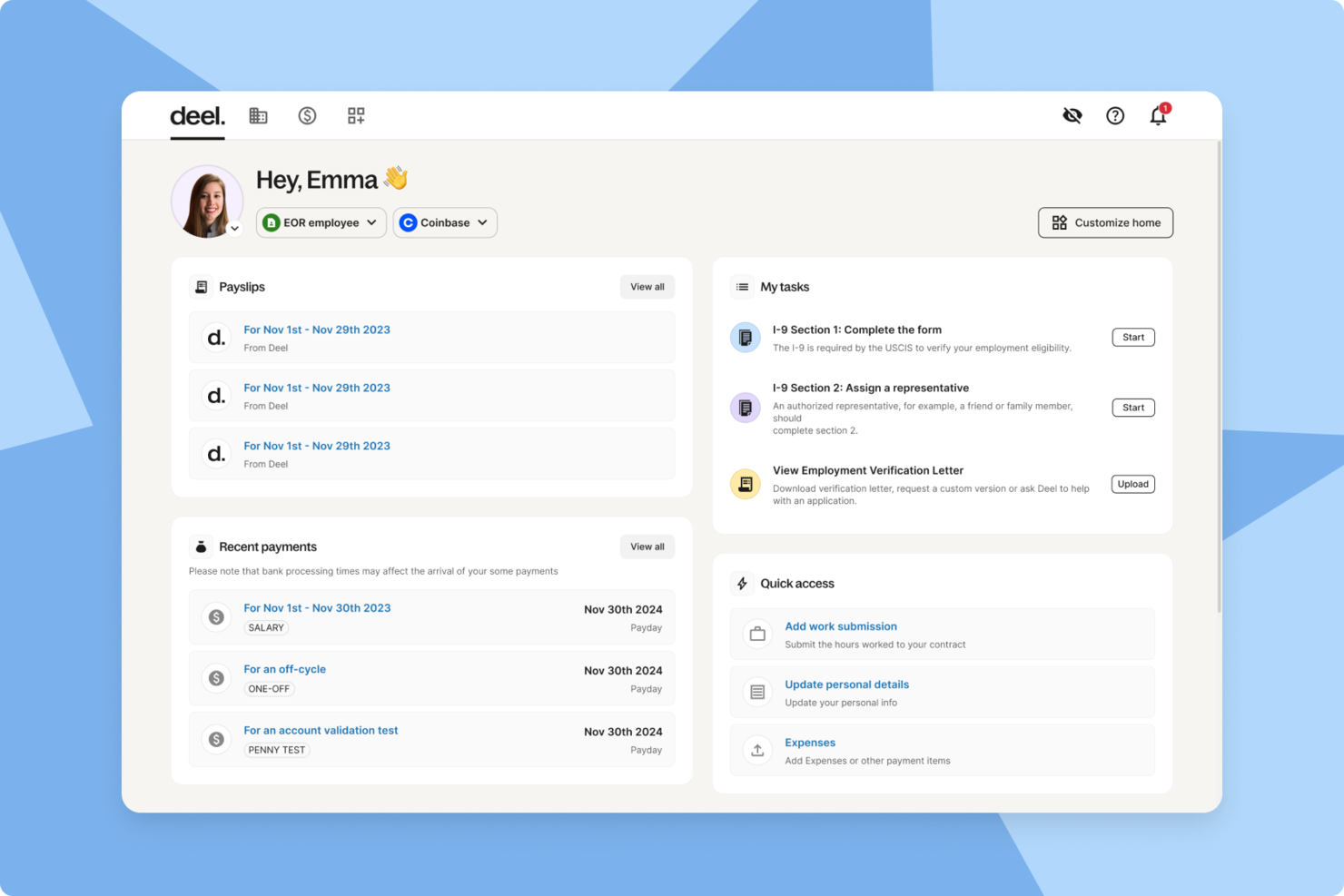
Deel Hire is an AI-powered applicant tracking system designed for teams that need to manage global hiring, onboarding, and payroll compliance in one platform.
Who Is Deel Hire Best For?
Deel Hire is a strong fit for HR teams and talent acquisition professionals at companies hiring across multiple countries or regions.
Why I Picked Deel Hire
I picked Deel Hire as one of the best because it's one of the few AI ATS tools that connects recruiting directly to global payroll and compliance in a single platform. When my team hires someone in a new country, Deel Hire's AI-powered screening and candidate matching tools handle the top-of-funnel work, while the platform automatically applies the right compliance rules for that region. I also like that approved headcount from workforce planning flows directly into ATS as job requisitions, so there's no manual re-entry between HR planning and recruiting. Once a candidate accepts an offer, their data moves straight into onboarding and payroll without any handoff gaps.
Deel Hire Key Features
- AI candidate matching: AI compares candidate submissions against job criteria to surface the most relevant applicants for each role.
- Interview scheduling with Google Workspace and Microsoft Teams: Schedule interviews directly from the ATS dashboard, with AI-generated transcript summaries available after each session.
- Configurable hiring analytics: Track sourcing performance, candidate-to-offer ratios, and pipeline health using customizable charts built into the platform.
- Role-based permissions and data retention controls: Set custom access levels, approval workflows, and candidate data retention policies to meet internal and regulatory requirements.
Deel Hire Integrations
Deel Hire offers native integrations with Greenhouse, Lever, Workable, Ashby, Google Workspace, and Microsoft Teams. An API is available for custom integrations.
Pros and Cons
Pros:
- Multiple payment methods and currencies supported
- Automated payroll and tax compliance tools
- Built-in AI misclassification risk assessment
Cons:
- Limited customization for onboarding workflows
- Some compliance features vary by country


Workable is an applicant tracking system for hiring teams that want AI-powered resume screening, automated candidate sourcing, and collaborative workflow management in one platform.
Who Is Workable Best For?
Workable suits mid-sized to enterprise HR teams managing high-volume hiring across multiple roles and departments.
Why I Picked Workable
Workable earns its spot on my shortlist because of how well its AI-assisted applicant screening handles high-volume pipelines. It uses semantic analysis to match candidates against job requirements, surfacing skill and experience gaps at a glance rather than making me read through every resume manually. I also like the intelligent resume parsing feature, which automatically extracts and anonymizes key details from resumes to populate candidate profiles—so my team screens without unconscious bias creeping in early. Additionally, Workable's AI resurfaces qualified candidates from your existing talent pool whenever a new role opens up, which means you're not starting from scratch every time.
Workable Key Features
- One-way video interviews: Record and review candidate video responses asynchronously to screen applicants at scale without scheduling live calls.
- Candidate self-scheduling: Let candidates book their own interview slots directly, with automatic calendar syncing and time zone detection to cut down on back-and-forth.
- Science-backed assessments: Administer cognitive and personality tests to candidates directly within Workable as part of the evaluation process.
- Custom hiring pipelines: Build role-specific hiring workflows with automated task triggers, email templates, and stage-based actions to keep every process on track.
Workable Integrations
Workable offers native integrations including Gmail, Microsoft 365, BambooHR, Certn, Chekr, and LinkedIn, with 200+ job boards for instant job posting. Native integrations are not clearly documented beyond job boards on this page.
Pros and Cons
Pros:
- Extensive job board integrations expand candidate reach
- Self-scheduling interviews reduce coordination time
- AI-powered sourcing tools help identify qualified candidates
Cons:
- Initial setup can be complex, especially with data migration
- Some limits to customization
New Product Updates from Workable
Workable Syncs Past Work Schedules to Ergani
Workable introduces past work schedule synchronization with Ergani. This update automates data syncing using actual clock-in and clock-out records to improve compliance and accuracy. For more information, visit Workable’s official site.

Pinpoint is an AI-powered applicant tracking system that offers automated candidate screening, customizable hiring workflows, and advanced analytics for managing recruitment processes.
Who Is Pinpoint Best For?
Pinpoint is a strong fit for in-house recruiting teams at mid-sized companies that need structured, repeatable hiring processes across multiple roles.
Why I Picked Pinpoint
I picked Pinpoint as one of the best because of how much control it gives you over candidate evaluation criteria. The AI Candidate Filters let you write your own prompts to define exactly what the AI screens for—specific skills, experience flags, or role-fit signals—then outputs results as scores, summaries, or yes/no answers you can sort and filter directly in the platform. I also like that candidate scorecards are fully customizable per role, so hiring managers score applicants against criteria that actually reflect what the job requires. Together, these two features mean my team isn't relying on a black-box algorithm to make shortlisting calls.
Pinpoint Key Features
- Automated interview scheduling: Candidates self-schedule interviews using a booking link that syncs with interviewer calendars across time zones, with built-in buffer rules and automated reminders.
- Hiring workflow automations: Build multi-step, branching automation workflows that trigger on application events, job status changes, or offer creation, and apply them across roles and regions.
- Reporting and analytics dashboard: Track metrics like time to fill, source of hire, and pass-through rates using built-in dashboards, or build custom reports with drag-and-drop tools and export them via flat files or API.
- Blind recruitment: Anonymize candidate applications to reduce bias during the screening and shortlisting stages.
Pinpoint Integrations
Pinpoint offers native integrations with LinkedIn, Indeed, Glassdoor, Google Calendar, Outlook, Slack, DocuSign, and Checkr. An API is available for custom integrations.
Pros and Cons
Pros:
- Smart matching accelerates hiring with AI-driven candidate matching.
- Detailed reporting provides insights for data-driven decisions.
- Allows tracking of multiple hiring streams from requisition to onboarding.
Cons:
- Doesn't offer a free trial to test out the platform before buying.
- Some advanced enterprise workflows require manual setup or custom configuration.
New Product Updates from Pinpoint

Pinpoint Streamlines Reference Checks and Enhances Onboarding
Pinpoint now offers an integrated solution for reference checks and enhanced onboarding features to help your HR team work faster and hire smarter. For more information, visit Pinpoint's official site.


Manatal is best suited for recruitment teams that want better candidate shortlists without adding more manual screening work. It uses AI to recommend candidates based on job requirements and past hiring behavior, helping recruiters focus faster on the most relevant profiles. It's a good fit for SMBs and growing teams hiring across multiple roles or locations.
Why I Picked Manatal
I picked Manatal because its AI-native ATS helps you identify high-quality candidates faster through AI-driven recommendations that are directly tied to job criteria and historical hiring data.
The platform's intelligent automation ranks and suggests candidates by analyzing CV content, job descriptions, and recruiter activity, reducing time spent reviewing unqualified profiles. I also like that Manatal enriches candidate records with data pulled from over 20 social platforms, giving you more context without manual research.
Its customizable pipelines let your team adapt the hiring flow to different roles while keeping recommendations consistent. For teams hiring at scale, this combination of AI matching and workflow flexibility stands out.
Manatal Key Features
Here are some key features worth highlighting:
- Custom Recruitment Pipelines: Build role-specific hiring stages to match different recruitment processes.
- Advanced Reporting & Analytics: Track hiring speed, source performance, and recruiter activity.
- Branded Career Pages: Create customized job pages to attract and convert candidates.
- Compliance Controls: Supports GDPR and CCPA requirements for candidate data handling.
Manatal Integrations
Integrations include LinkedIn, Indeed, Glassdoor, Monster, Google for Jobs, Facebook Jobs, Slack, Microsoft Outlook, Google Calendar, and Zapier.
Pros and Cons
Pros:
- Customizable pipelines
- Social media enrichment
- AI-driven recommendations
Cons:
- Slow customer support
- Complex user interface
New Product Updates from Manatal

Manatal Launches AI Interviewer
Manatal introduces AI Interviewer, an AI-powered agent for automating first-round candidate screenings. Recruiters get standardized assessments to focus on top candidates. For more information, visit Manatal's official site.
 .
.
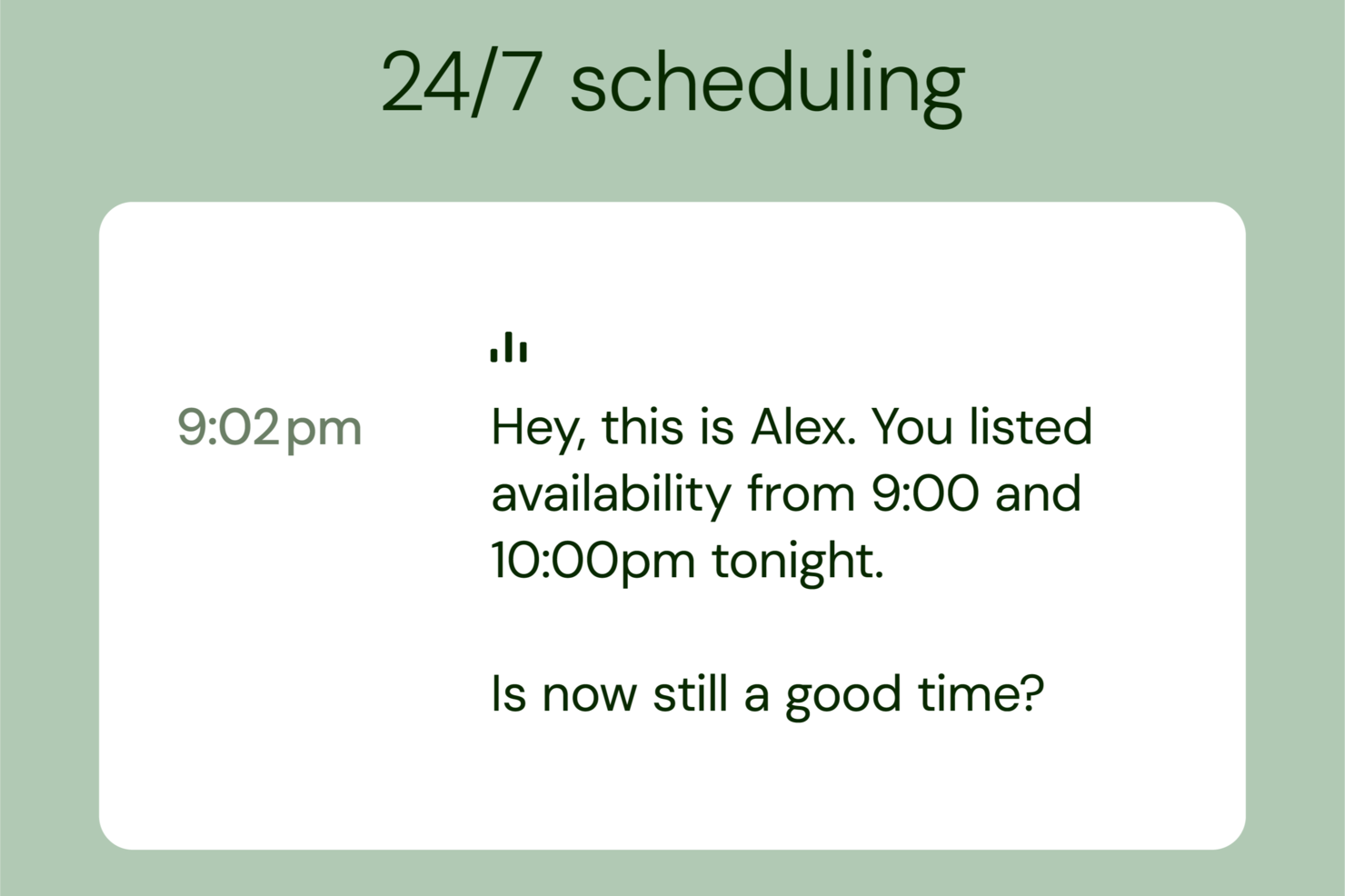
Alex is an AI-powered applicant tracking system that automates candidate screening, manages interview scheduling, and streamlines early-stage recruitment workflows.
Who Is Alex Best For?
Alex is a good fit for talent acquisition teams that handle high volumes of applicants and need to automate early-stage candidate screening and interviews.
Why I Picked Alex
Alex earns its spot on my shortlist because of how it handles first-round interviews without any recruiter involvement. I like that Alex conducts asynchronous AI-driven interviews at scale—candidates respond to structured questions on their own time, and Alex scores and ranks their responses automatically. So my team doesn't have to sit through dozens of early-stage calls just to filter out unqualified applicants. The AI also generates interview summaries and candidate scorecards, so when a recruiter steps in, they're working from a clear, structured picture of each candidate.
Alex Key Features
- Candidate pipeline management: Track and organize applicants across every stage of the hiring process in a centralized dashboard.
- AI-powered job description builder: Generate structured, bias-aware job postings based on role requirements and hiring criteria.
- Automated candidate outreach: Send personalized interview invitations and follow-up messages to candidates without manual input.
- Hiring analytics dashboard: Monitor recruitment metrics like time-to-screen and candidate drop-off rates across active roles.
Alex Integrations
Native integrations aren't documented; an API is available for custom integrations.
Pros and Cons
Pros:
- Supports multilingual candidate interviews
- Built in fraud detection tools
- Automates high volume interviews
Cons:
- Advanced features need configuration
- Pricing not publicly available

Tracker is an AI-powered applicant tracking system designed for recruiters and HR teams, offering automated candidate screening, workflow automation, and customizable screening tools.
Who Is Tracker Best For?
Tracker is a strong fit for staffing agencies and recruitment firms that manage high volumes of candidates across multiple clients.
Why I Picked Tracker
Tracker earns its spot on my shortlist because of how its AI handles candidate screening. The "create targeted screening questions" feature, powered by its EVA AI agent, generates role-specific and candidate-specific questions on demand—so instead of running every applicant through the same generic checklist, I can zero in on what actually matters for a given role or client. I also like the AI-powered interview preparation tool, which cross-references a candidate's resume, cover letter, and job description to flag strengths and gaps before the interview even starts. That combination means my team spends less time guessing and more time having the right conversations.
Tracker Key Features
- AI candidate ranking: EVA ranks candidates using skills, experience, and historical placement data to surface the best fits for a given role.
- AI-generated job descriptions: Generate and optimize job postings using ChatGPT-powered tools, with options to adjust tone, reduce bias, and improve job board SEO.
- Automated recruitment emails and texts: Draft and send personalized outreach, follow-ups, and rejection messages using one-click AI generation or multi-step sequences.
- Resume reformatting: Convert any candidate resume into a branded document using a voice or text command, then send it directly to clients.
Tracker Integrations
Tracker offers native integrations with LinkedIn, Microsoft Outlook, Microsoft Teams, Broadbean, LogicMelon, and DocuSign. An API is available for custom integrations.
Pros and Cons
Pros:
- User-friendly and easy to learn
- Comprehensive solution (ATS and CRM in one)
- Specifically designed for staffing agencies
Cons:
- Pricing is not transparent
- May not be suitable for in-house recruitment teams


Recruit CRM is an AI-powered applicant tracking and CRM platform designed for recruiting agencies, offering resume parsing, candidate sourcing, workflow automation, and integrated client management.
Who Is Recruit CRM Best For?
Recruit CRM is a strong fit for staffing and recruiting agencies that need to manage both candidate pipelines and client relationships in a single platform.
Why I Picked Recruit CRM
Recruit CRM is one of my top picks because I love how it's built specifically for recruiting agencies that need to manage both sides of the business—candidates and clients—without juggling separate tools. The AI candidate sourcing lets me describe an ideal candidate in plain language and pull enriched LinkedIn profiles without Boolean searches. I also use the candidate submission feature to send shortlisted profiles to clients via a branded portal and collect yes/no feedback in real time, keeping hiring managers aligned without back-and-forth emails. The deals pipeline ties it all together by linking revenue opportunities directly to jobs, contacts, and candidates in one view.
Recruit CRM Key Features
- AI resume parsing: Converts PDF and Word resumes into structured candidate profiles, including those received via email attachments.
- Automated sequencing: Runs personalized email, LinkedIn, and SMS outreach sequences automatically to maintain consistent follow-up with candidates and contacts.
- Hotlists: Groups candidates by skills or location to build targeted talent pools and track their progress within specific jobs.
- Invoicing: Generates and sends client invoices, supports custom templates, and tracks payment status and follow-ups directly within the platform.
Recruit CRM Integrations
Recruit CRM offers native integrations with LinkedIn, Gmail, Outlook, Mailchimp, and Slack, and connects with Zapier. An API is available for custom integrations.
Pros and Cons
Pros:
- Automation reduces manual admin across recruiting workflows
- Resume parser keeps candidate data structured and searchable
- AI candidate scoring speeds up shortlisting
Cons:
- The mobile application lacks some features available on the desktop version
- Key features, like workflow automation, are paid add-ons
New Product Updates from Recruit CRM

Recruit CRM Adds AI Candidate Matching and Resume Parsing
Recruit CRM Recruit CRM introduces AI candidate matching and enhanced resume parsing. These updates help recruiters identify candidates faster and improve screening accuracy. For more information, visit Recruit CRM's official site.
 .
.

AvaHR is an AI-powered applicant tracking system that combines automated candidate screening, workflow customization, and communication tools designed for modern hiring teams.
Who Is AvaHR Best For?
AvaHR is a good fit for HR teams and recruiters at small to mid-sized businesses that prioritize keeping candidates engaged throughout the hiring process.
Why I Picked AvaHR
AvaHR earns its spot on my shortlist because of how deliberately it's built around keeping candidates engaged at every stage of the hiring process. I particularly like the culture profiles feature, which lets you attach videos, photos, and text to each job posting so candidates get a real sense of your workplace before they even apply. It also offers built-in SMS messaging that lets you text candidates directly from your computer using customizable templates tied to specific pipeline stages—so interview reminders and follow-ups go out without manual effort. That combination of rich job presentation and timely, personalized communication helps teams avoid losing candidates to slow or impersonal outreach.
AvaHR Key Features
- Candidate AI scoring: Automatically ranks incoming applicants based on job-specific criteria so you can prioritize the most qualified candidates first.
- Employee referral program: Lets your existing team submit referrals directly through the platform, creating a structured internal sourcing channel.
- Hiring pipelines: Build custom pipeline stages that reflect your actual hiring process, with candidates moving through each step as decisions are made.
- Hiring analytics: Track key recruiting metrics across your pipeline to identify where candidates drop off and where your sourcing performs best.
AvaHR Integrations
Native integrations include PayChex, Gusto, Google Analytics, and InvoiceBerry. AvaHR provides an API for custom integrations.
Pros and Cons
Pros:
- Strong automation features for follow-ups and reminders
- Good recruitment analytics to improve processes
- One-click job publishing to various job boards
Cons:
- No native video interview tools
- Searching within the applicant database can be unintuitive


CEIPAL is an AI-powered applicant tracking system that combines automated candidate sourcing, resume parsing, workflow automation, and workforce management tools for recruitment teams.
Who Is CEIPAL Best For?
CEIPAL is a strong fit for staffing agencies and enterprise recruitment teams that manage high-volume hiring across multiple clients or departments.
Why I Picked CEIPAL
CEIPAL earns its spot on my shortlist because of how deeply AI is woven into the full recruitment and workforce lifecycle—not just bolted on as a feature. I'm particularly impressed by the AI-driven passive candidate sourcing, which taps into LinkedIn, job boards, and your internal CRM simultaneously to expand your talent pool by up to 70%. The candidate matching and ranking engine scores and ranks applicants against job requirements as a percentage, so my team makes faster shortlisting decisions without manually sifting through stacks of resumes. The workforce management module extends that intelligence beyond hiring—tracking timesheets, work authorizations, H-1B lifecycles, and payroll data in one dashboard.
CEIPAL Key Features
- One-click job postings: Publish job openings across job boards, social media, and a branded career portal simultaneously with a single action.
- eBoarding portal: Guide new hires through the full onboarding process with customizable checklists, digital documents, and eSignature support.
- Recruitment analytics dashboards: Track real-time KPIs and hiring metrics through role-specific, interactive BI dashboards with customizable reporting.
- Email campaigns for candidates: Run built-in email and workflow campaigns for candidate outreach and engagement.
CEIPAL Integrations
CEIPAL offers native integrations with LinkedIn, Indeed, Monster, CareerBuilder, Dice, Outlook, Gmail, ADP, QuickBooks, and DocuSign. An API is available for custom integrations.
Pros and Cons
Pros:
- Advanced analytics
- Real-time collaboration
- AI-driven automation
Cons:
- Complex initial setup
- Limited customization

Breezy HR is an AI-powered applicant tracking system that combines automated job posting, candidate sourcing, resume parsing, and collaborative hiring workflows for recruiting teams.
Who Is Breezy HR Best For?
Breezy HR is a good fit for small to mid-sized businesses that need a straightforward ATS with built-in job advertising and candidate pipeline tools.
Why I Picked Breezy HR
Breezy HR earns its spot on my shortlist because of how far its job advertising automation goes. With a single click, it pushes your open roles to 50+ free job boards simultaneously—including Indeed, LinkedIn, ZipRecruiter, and Google—without any manual reposting. I also like that you can access premium and niche job boards directly from the platform and save over 40% compared to posting to those boards independently. Breezy also includes DEI-focused job boards in the advertising workflow, so building a more diverse candidate funnel doesn't require a separate process.
Breezy HR Key Features
- AI-powered applicant scoring: Scores candidates against your job requirements, surfacing skills alignment, experience relevance, and overall fit.
- Resume Audit: Uses multi-layered PDF, content, and semantic analysis to detect AI-generated fake resumes and low-quality applications before they reach your desk.
- Touchless pre-screening: Automatically advances or disqualifies candidates based on their responses to custom questionnaires.
- Reporting and analytics: Tracks pipeline performance, candidate sources, time to fill, and team productivity with real-time dashboards.
Breezy HR Integrations
Breezy HR offers native integrations with Google Workspace, Slack, LinkedIn, Indeed, ZipRecruiter, Checkr, BambooHR, Namely, ADP, and Glassdoor. It also connects with Zapier and provides an API for custom integrations.
Pros and Cons
Pros:
- HRIS integration
- Customizable career sites
- Automated job distribution
Cons:
- Basic reporting features
- Limited integration options

Recruitee is an AI-powered applicant tracking system that combines automated candidate sourcing, customizable hiring pipelines, and collaborative tools for recruitment teams.
Who Is Recruitee Best For?
Recruitee is a good fit for growing companies that rely on multiple stakeholders—hiring managers, recruiters, and department leads—working together across the hiring process.
Why I Picked Recruitee
I picked Recruitee as one of the best because of how deliberately it's built around team-based hiring. Most ATS tools treat collaboration as an add-on, but Recruitee makes it central. The requisition approvals feature lets recruiters and hiring managers create and sign off on new roles in one place, so everyone's aligned before a single job post goes live. I also like the structured evaluation forms, which convert each team member's input into scored, comparable feedback—so when my team is reviewing 40 applicants for the same role, we're not comparing apples to oranges. The AI Evaluation Insights feature consolidates all of that feedback into clear summaries, making it easier to spot patterns and move top candidates forward without scheduling another alignment meeting.
Recruitee Key Features
- Knockout questions: Set up automatic screening questions that filter out candidates who don't meet role requirements before they reach your pipeline.
- Talent pools: Organize and track potential candidates for future openings, with follow options so you know who's still available when a relevant role opens.
- Custom reporting dashboards: Build and filter reports by recruiter, department, or role to track metrics like time-to-hire, source performance, and candidate drop-off rates.
- Fair evaluations: Hide individual team feedback until all reviewers have submitted their own, reducing groupthink in the assessment process.
Recruitee Integrations
Recruitee offers native integrations with LinkedIn, Indeed, Slack, Google Workspace, Microsoft 365, Zoom, DocuSign, and Calendly. It also connects with Zapier and provides an API for custom integrations.
Pros and Cons
Pros:
- Multi-language support
- Role-based visibility
- Customizable pipelines
Cons:
- Complex user interface
- Limited advanced analytics


Lever is a recruiting software designed to simplify hiring processes and enhance candidate relationship management. It is suitable for candidate relationship management due to features that help build and maintain solid connections with potential hires.
Why I picked Lever: I chose Lever for its candidate relationship management capabilities, which set it apart from other AI ATS tools. Lever's combination of an applicant tracking system and CRM functionalities aims to ensure an efficient hiring process. Lever is suitable for candidate relationship management because it offers tools to foster meaningful interactions and long-term relationships with candidates.
Standout Features & Integrations:
Features include dynamic reporting, diversity and inclusion tools, integrated scheduling, remote interviewing capabilities, and a searchable talent database. Lever's platform also supports multi-channel sourcing and automated email campaigns, making it a versatile recruitment solution.
Integrations include Avature, Eightfold, Greenhouse, iCIMS, Infinite, Oracle, PageUp, SAP, SmartRecruiters, and Workday.
Pros and Cons
Pros:
- Dynamic reporting
- Extensive integrations
- CRM features
Cons:
- May require customization
- Complex setup process

JazzHR is an AI-powered applicant tracking system for hiring teams that want automated candidate screening, customizable workflows, and collaborative recruitment tools.
Who Is JazzHR Best For?
JazzHR serves small businesses and growing companies that need a structured, affordable ATS without the complexity of enterprise-grade recruiting platforms.
Why I Picked JazzHR
I picked JazzHR as one of the best because it's built around the reality of small business hiring—where one person is often doing the work of an entire recruiting team. What I find most useful is TalentFit, JazzHR's AI-powered candidate matching feature that reads resumes against your job description and surfaces which candidates are the strongest fit, what they're missing, and what stands out about their profile. That kind of signal is hard to get without a dedicated recruiter. I also like that JazzHR lets you automate candidate communications and questionnaires directly within your hiring workflow, so you're not manually following up with every applicant at every stage.
JazzHR Key Features
- Job posting distribution: Post open roles to multiple job boards from a single location within JazzHR, without logging into each board separately.
- Customizable interview guides: Build structured interview guides with pre-planned questions and score-based evaluation templates so every interviewer assesses candidates on the same criteria.
- Candidate ranking: Team members can individually rank candidates after interviews, with all scores and feedback consolidated in one central view for hiring managers to compare.
- Calendar sync: Sync personal calendars with JazzHR to coordinate interview scheduling across the hiring team and send automated reminders to all participants.
JazzHR Integrations
JazzHR offers native integrations with GoCo, Justworks, Gusto, Prevue HR, Greenshades Software, Performentor LLC, Indeed, BambooHR, PrismHR, Verified First, Hibob, and LinkedIn.
Pros and Cons
Pros:
- Customizable workflows
- Unlimited job postings
- User-friendly interface
Cons:
- Slow support response
- Basic candidate search

SmartRecruiters is an AI-powered applicant tracking system that combines automated candidate sourcing, collaborative hiring workflows, and advanced analytics for managing recruitment at scale.
Who Is SmartRecruiters Best For?
SmartRecruiters is a strong fit for large organizations and enterprise HR teams managing high-volume, complex hiring across multiple departments or regions.
Why I Picked SmartRecruiters
SmartRecruiters earns its spot on my shortlist because it's designed for enterprise-scale hiring. I particularly like Winston Match, the AI talent-matching engine that scores every incoming application across skills, work history, career trajectory, and education—then surfaces the top candidates, reducing the need to sort through hundreds of resumes manually. The match scores include plain-language explanations, so hiring managers can see exactly why a candidate ranked as they did. Additionally, SmartRecruiters' SmartSandbox lets enterprise teams test new hiring workflows and role structures in an isolated environment before rolling them out across the organization—something I haven't seen many ATS platforms offer natively.
SmartRecruiters Key Features
- Recruitment CRM: Source and nurture candidates for future roles using built-in candidate relationship management tools within the platform.
- Conversational AI chatbot: Engage candidates automatically through an AI-powered chat interface that screens and qualifies applicants in real time.
- Dynamic interview scheduling: Automate interview booking with flexible scheduling tools that reduce back-and-forth between recruiters and candidates.
- Offer management: Build, send, and track offers through a dedicated offer management workflow that keeps the hiring process moving at the final stage.
SmartRecruiters Integrations
SmartRecruiters offers native integrations with LinkedIn, Indeed, Glassdoor, Google Calendar, Microsoft Outlook, DocuSign, Slack, SAP SuccessFactors, Workday, and ADP. An API is available for custom integrations.
Pros and Cons
Pros:
- Built-in tools for hiring manager collaboration and feedback
- Strong workflow controls for approvals, roles, and permissions
- Scales well for multi-department and global hiring teams
Cons:
- Configuration takes time for complex global setups
- Interface can feel dense for infrequent hiring managers

iCIMS is an AI-powered applicant tracking system that combines automated candidate screening, workflow automation, and advanced analytics for managing recruitment processes at scale.
Who Is iCIMS Best For?
iCIMS is a strong fit for mid-size to enterprise organizations with high-volume hiring needs and complex, multi-stage recruitment workflows.
Why I Picked iCIMS
iCIMS earns its spot as one of the best on my shortlist because it's purpose-built for organizations that need to hire at scale without sacrificing quality or control. I love how iCIMS Coalesce AI embeds directly into the hiring workflow—candidate ranking, talent matching, and a GenAI search assistant all work inside the ATS rather than as bolt-on tools. For high-volume scenarios, the bulk text messaging and conversational AI chatbot let my team engage thousands of candidates simultaneously. The highly configurable workflow engine also means I can build role-specific hiring stages without needing IT involvement every time something changes.
iCIMS Key Features
- Offer management: Create, send, and track offer letters directly within the platform, with configurable approval workflows for different roles and locations.
- Career site builder: Build and customize branded career sites with an AI-powered digital assistant that guides candidates through the application process.
- Candidate relationship management: Segment talent pools, build automated nurture campaigns, and track candidate engagement across the entire recruitment funnel.
- Configurable reporting dashboards: Access real-time hiring data through custom dashboards and schedule automated reports for stakeholders and executives.
iCIMS Integrations
iCIMS offers 300+ native integrations, including LinkedIn, Indeed, Workday, SAP SuccessFactors, Oracle, Microsoft 365, ADP, Ceridian, UKG, and DocuSign. An API is available for custom integrations.
Pros and Cons
Pros:
- Handles high volumes of job postings and candidate data
- Detailed reporting and analytics support
- Customizable workflows and approvals
Cons:
- Limited customization in certain areas
- Steep learning curve; configuration can be complex


Transformify (TFY) offers an AI-driven applicant tracking system (ATS) designed to simplify hiring, post jobs simultaneously to job boards, and streamline communication and collaborative hiring across US, UK, Canada, South Africa and Australia.
Why I picked Transformify (TFY): I picked Transformify (TFY) because of its predictive analytics that help you rank candidates based on AI-driven suitability scores, allowing you to focus on the best-fit applicants quickly. I also like that Transformify (TFY) offers end-to-end contractor management with fast onboarding and flexible payment options, including cryptocurrencies. This combination makes it a strong option for companies looking to efficiently hire and pay international contractors.
Standout Features & Integrations:
Features include an AI-powered ATS with job distribution to over 100 job boards, automated onboarding workflows to reduce manual tasks, and multi-currency payment processing that supports same-day payments, including crypto.
Integrations are not currently listed by vendor.
Pros and Cons
Pros:
- Supports global, flexible payment methods
- Automates vendor and contractor management
- Promotes diversity and social responsibility
Cons:
- Integration details not fully transparent
- No mobile app functionality


Avionté is a complete staffing and recruiting software platform designed to simplify employment. It is best for end-to-end staffing solutions because it integrates applicant tracking, CRM, payroll, and billing functionalities into a single platform, enhancing efficiency for both recruiters and job seekers.
Why I picked Avionté: I chose Avionté for its end-to-end staffing solutions that cater to various industries, including clerical, healthcare, and multi-vertical agencies. Its mobile talent engagement app makes it stand out, simplifying communication and fostering loyalty. Avionté is suitable for end-to-end staffing solutions due to its complete workflows and business intelligence tools that support data-driven decision-making.
Standout Features & Integrations:
Features include algorithmic job distribution for quicker placements, a scalable cloud-based infrastructure, and real-time payroll access. Avionté's complete workflows facilitate operations, while its business intelligence tools support data-driven decision-making.
Integrations include NetSuite, Timerack, SimpleVMS, ADP, QuickBooks, Bullhorn, Salesforce, Microsoft Dynamics, Paychex, and Workday.
Pros and Cons
Pros:
- Mobile talent engagement app
- Real-time payroll access
- Complete workflows
Cons:
- Complex setup process
- Limited mobile support

HireVue is a hiring platform that leverages AI technology to enhance the recruitment process through video interviews, assessments, and data-driven insights. It is known for its video interviewing capabilities, which simplify the hiring process and improve candidate engagement.
Why I picked HireVue: I chose HireVue for its video interviewing capabilities, which set it apart from other AI ATS tools. The platform's ability to conduct live and on-demand video interviews makes it the best choice for organizations looking to enhance their hiring process through video technology. HireVue's focus on video interviewing helps companies reduce time-to-hire and improve candidate experience, making it an invaluable tool for modern recruitment.
Standout Features & Integrations:
Features include live and on-demand video interviews, customizable branding, automated scheduling, and multilingual support. The platform also offers advanced assessment tools, including video and game-based assessments, and complies with security standards like GDPR and SOC 2.
Integrations include Workday, SAP SuccessFactors, Oracle Taleo, Greenhouse, iCIMS, SmartRecruiters, Lever, Jobvite, ADP, and BambooHR.
Pros and Cons
Pros:
- Customizable branding
- Multilingual support
- Advanced video interviewing
Cons:
- Integration issues
- Privacy concerns


Loxo is an advanced Talent Intelligence Platform designed to simplify recruiting by integrating various functions into a single system. It is good for AI-powered talent intelligence due to its complete suite of tools, including a Recruiting CRM, ATS, and automated AI-powered sourcing and outreach capabilities.
Why I picked Loxo: I chose Loxo for its ability to consolidate multiple recruiting functions into one cohesive system, significantly enhancing efficiency and reducing costs. Loxo stands out for its AI-powered talent intelligence as it offers a large talent directory and advanced filtering to identify top candidates.
Standout Features & Integrations:
Features include a recruiting CRM, ATS for candidate tracking, AI-driven sourcing, and automated outreach tools. Loxo also offers access to a talent directory of 1.2 billion professionals and over 800 million verified contact details, enabling efficient candidate engagement.
Integrations include LinkedIn, Indeed, Glassdoor, Gmail, Outlook, Slack, Zoom, Microsoft Teams, Salesforce, and HubSpot.
Pros and Cons
Pros:
- Automated outreach
- Complete talent directory
- AI-powered sourcing
Cons:
- Limited job board integrations
- Overwhelming feature set


Vincere is an all-in-one recruitment software explicitly designed for staffing agencies. It is good for staffing agencies because it aims to simplify recruitment processes, from candidate sourcing to client management.
Why I picked Vincere: I chose Vincere for this list because it offers a combination of ATS and CRM functionalities tailored for staffing agencies. Its modular design and advanced automation features stand out from other AI ATS tools. Vincere is suitable for staffing agencies because it provides a centralized platform that enhances productivity and efficiency, allowing agencies to manage all recruitment activities.
Standout Features & Integrations:
Features include an Applicant Tracking System (ATS), recruitment CRM, automation tools, analytics, and workforce management capabilities. These features enable agencies to simplify their recruitment processes and focus on building relationships with clients and candidates.
Integrations include LinkedIn, Microsoft Outlook, Gmail, Xero, QuickBooks, Bullhorn, Broadbean, Mailchimp, and Zapier.
Pros and Cons
Pros:
- Modular and scalable
- Advanced automation tools
- Complete ATS and CRM
Cons:
- Limited reporting flexibility
- Clunky mobile interface
Other AI ATS Software
Here are some additional AI ATS tools that didn’t make it into my top 10 list but are still worth taking a closer look at:
- SparkHire
For AI-assisted candidate review
- ClearCo
For candidate prioritization
- Zoho Recruit
For customizable recruitment workflows
- Recruiterflow
For recruitment automation
- Jobvite
For social recruiting features
- Greenhouse
For structured hiring workflows
- IBM Watson Talent
For AI-powered candidate insights
- Bullhorn
For staffing and recruiting agencies
- Eightfold AI
For AI-driven talent matching


Related HR Software Reviews
If you still haven't found what you're looking for here, check out these other related tools that we've tested and evaluated.
- HR Software
- Payroll Software
- Recruiting Software
- Employer of Record Services
- Applicant Tracking Systems
- Workforce Management Software
AI ATS Software Selection Criteria
The criteria for choosing AI Applicant Tracking System (ATS) software should address buyer needs and common pain points, ensuring the tool effectively serves its intended purpose. As an expert who has personally tried and researched this type of software, here are the requirements I use when evaluating these tools.
Core Functionalities (25% of total score): To be considered for inclusion in this list, each solution had to fulfill these common use cases first:
- Automated resume screening
- Candidate ranking and scoring
- Interview scheduling
- Analytics and Reporting
- Job posting and distribution
Additional Standout Features (25% of total score): To help me find the best software out of numerous available options, I also kept a keen eye out for unique features, including the following:
- Integration with social media platforms for candidate sourcing
- AI-driven candidate matching algorithms
- Customizable workflows and pipelines
- Advanced analytics and predictive insights
- Mobile accessibility for on-the-go management
Usability (10% of total score): To evaluate the usability of each system, I considered the following:
- Intuitive user interface with drag-and-drop functionality
- Customizable dashboards and reports
- Easy navigation and minimal learning curve
- Responsive design for mobile and desktop use
Onboarding (10% of total score): To get a sense of each software provider's customer onboarding process, I considered the following factors:
- Availability of training videos and tutorials
- Interactive product tours and walkthroughs
- Pre-built templates for quick setup
- Access to webinars and live training sessions
- Chatbots and in-app guidance for real-time assistance
Customer Support (10% of total score): To evaluate the level of customer support each vendor offered, I considered the following:
- 24/7 customer support availability
- Multiple support channels (email, phone, live chat)
- Dedicated account managers
- complete knowledge base and FAQs
- Fast response times and resolution rates
Value for Price (10% of total score): To gauge the value of each software, I considered the following factors:
- Competitive pricing models
- Transparent pricing with no hidden fees
- Flexible subscription plans
- Cost-benefit analysis based on features offered
- Discounts for long-term commitments or bulk purchases
Customer Reviews (10% of total score): Evaluating customer reviews is the final element of my selection process, which helps me understand how well a product performs in the hands of real users. Here are the factors I considered:
- Overall satisfaction ratings
- Feedback on ease of use and implementation
- Comments on customer support experience
- Reviews on feature effectiveness and reliability
- Testimonials on return on investment and value delivered
Using this assessment framework helped me identify the AI ATS software that goes beyond basic requirements to offer additional value through unique features, intuitive usability, smooth onboarding, effective support, and overall value for price.
How to Choose AI ATS Software
As you work through your unique software selection process, remember the following points.
- Genuine AI Capabilities: Ensure that the ATS platforms you are considering have genuine AI capabilities. Some platforms might claim to be AI-powered but have limited functionality. Look for features like resume parsing, automated candidate screening, and intelligent candidate matching. For example, an AI-powered ATS can help automatically filter out unqualified candidates if your organization has many applications.
- User Experience: The software should be user-friendly and enhance efficiency. A complex system can lead to satisfaction and increased productivity among HR staff. For instance, a user-friendly interface that allows easy navigation and quick access to candidate information can significantly improve recruitment.
- Integration with Existing Systems: Check if the ATS integrates well with your existing HR systems. Integration ensures that data flows smoothly between different platforms, reducing the need for manual data entry and minimizing errors. For example, if your organization uses a specific HR management system, the ATS should be able to sync with it to simplify the hiring process.
- Customization and Scalability: The ability to customize settings and features is essential for tailoring the software to your specific recruitment processes. Additionally, the ATS should be scalable to grow with your organization’s needs. For example, a customizable ATS can adapt to different hiring workflows, while a scalable system can handle increasing job postings and applications as your company expands.
- Data Security and Compliance: Prioritize providers that follow industry-standard security practices and comply with data protection regulations. This is important for protecting sensitive candidate information and ensuring legal compliance.
Trends in AI ATS Software
AI ATS software is changing remarkably, transforming how businesses manage their recruitment process. As technology advances, staying informed about the latest developments is essential. Here are some key trends to watch closely that could impact your organization.
- Predictive Analytics: Predictive analytics is gaining traction in AI ATS. It helps forecast candidate success and retention. This trend is important for making data-driven hiring decisions.
- Natural Language Processing (NLP): NLP improves resume parsing and candidate matching. It allows for a better understanding of candidate profiles, which leads to more accurate and efficient hiring processes.
- Bias Mitigation: AI ATS systems are focusing on reducing hiring biases. Algorithms are being designed to promote diversity. This trend is essential for creating fairer hiring practices.
- Video Interview Analysis: AI now analyzes video interviews for nonverbal cues, body language, and facial expressions, providing deeper insights into candidate suitability.
- Integration with HR Tools: AI ATS is increasingly integrating with other HR tools. This creates a unified platform for managing the hiring process, simplifies workflows, and improves efficiency.
These trends highlight the dynamic nature of AI ATS technology.
What is AI ATS Software?
AI ATS is an artificial intelligence-powered applicant tracking system designed to automate and enhance recruitment. It is used by HR professionals, recruiters, and hiring managers to efficiently manage job applications, screen candidates, and simplify the hiring workflow.
AI ATS typically includes resume parsing, candidate ranking, and automated communication tools. These features help users quickly identify the best candidates, reduce manual tasks, and improve the overall efficiency of the recruitment process.
Features of AI ATS Software
When choosing AI ATS software, it's important to recognize the key features that will let you manage your recruitment tasks more efficiently. Here are the most important features to look for:
- Automated job posting: AI distributes job openings across major job boards, niche talent sites, and social media channels. This helps maximize visibility and attract qualified candidates without extra manual work.
- Resume parsing & intelligent screening: AI extracts key information from resumes and instantly screens applicants based on skills, work history, certifications, and experience. This eliminates manual data entry and speeds up initial filtering.
- Candidate ranking & scoring: AI evaluates applicants using predefined criteria and historical hiring patterns, producing ranked shortlists that make it easier to identify top candidates faster.
- Automated communication workflows: Built-in email and SMS automation keep candidates engaged throughout the hiring process, sending updates, reminders, and next steps without requiring recruiter intervention.
- Interview scheduling automation: AI coordinates candidate and interviewer availability to schedule meetings efficiently, reducing time spent juggling calendars.
- Talent pipeline management: AI ATS tools organize candidates into talent pools for current or future roles, helping you build a long-term recruitment strategy and reduce time-to-hire.
- Candidate experience enhancements: AI chatbots answer candidate questions, help with application steps, and collect pre-screening information — offering real-time support 24/7.
- Bias reduction algorithms: Many AI ATS platforms use anonymization or standardized scoring to help reduce unconscious bias and promote fairer hiring decisions.
- Analytics and reporting: Real-time dashboards track time-to-hire, pipeline health, candidate quality, conversion rates, and diversity metrics, helping teams make data-driven hiring decisions.
- Predictive hiring insights: AI forecasts candidate success, cultural alignment, or potential retention based on historical outcomes, behavioral signals, and role-specific competencies.
- Compliance management: Intelligent workflows help maintain compliance with GDPR, EEOC guidelines, record-keeping requirements, and other legal obligations by automating documentation tasks.
- Career page optimization: AI helps improve job description language, SEO, and layout for better candidate engagement and higher application rates.
Choosing an AI ATS with these features can greatly improve your recruitment process, making it more efficient and effective.
Benefits of AI ATS Software
By leveraging AI ATS software, companies can outsource complex HR tasks, allowing them to focus on their core business activities. Below are five benefits of AI ATS software for both users and organizations.
- Enhanced Efficiency: AI ATS automates repetitive tasks such as resume screening and interview scheduling, allowing HR professionals to focus on more strategic activities.
- Improved Candidate Matching: By leveraging machine learning algorithms, AI ATS can match candidates to job openings more accurately, ensuring that the best-fit candidates are identified quickly.
- Reduced Bias: AI ATS can help minimize unconscious bias in hiring by evaluating candidates based on objective criteria, leading to a more diverse and inclusive workforce.
- Data-Driven Insights: These systems provide valuable analytics and reporting features that help organizations make informed decisions based on data, improving overall recruitment strategies.
- Cost Savings: By streamlining the hiring process and reducing the time-to-hire, AI ATS can lead to significant cost savings for organizations, making the recruitment process more economical.
By adopting these advanced tools, businesses can improve hiring outcomes and gain a competitive edge in attracting top talent.
Costs & Pricing for AI ATS Software
This section provides an estimate of average AI ATS plans and costs. Pricing varies depending on the plan type and features offered.
Plan Comparison Table for AI ATS Software
| Plan Type | Average Price | Common Features |
| Free Plan | $0 | Basic job posting, limited candidate management, basic reporting |
| Personal Plan | $30 - $100 per month | Enhanced job posting, resume parsing, basic integrations, limited support |
| Business Plan | $150 - $400 per month | Advanced job posting, candidate sourcing, interview scheduling, analytics |
| Enterprise Plan | $600 - $1,200+ per month | Customizable workflows, advanced integrations, dedicated support, complete analytics |
AI ATS Software FAQs
Here are some commonly asked questions about AI ATS technology.
How can AI ATS tools improve the candidate screening process?
AI-powered applicant tracking systems enhance the candidate screening process by automating the initial review of resumes and applications. These systems use natural language processing (NLP) and machine learning algorithms to analyze resumes for relevant keywords, skills, and experiences that match the job description.
This automation reduces the time recruiters spend on manual screening and ensures a more objective evaluation of candidates. Additionally, AI ATS can rank candidates based on their qualifications, making it easier for recruiters to identify top talent quickly.
What are the potential biases in AI ATS software, and how can they be mitigated?
AI ATS can inadvertently perpetuate biases in the training data used to develop their algorithms. For example, if historical hiring data reflects gender or racial biases, the AI system might favor candidates with similar profiles. To mitigate these biases, it’s important to use diverse and representative training data, regularly audit the AI models for biased outcomes, and implement fairness constraints in the algorithms.
Additionally, human oversight is essential to review and adjust the AI’s decisions to ensure equitable hiring practices.
How do AI ATS integrate with other HR tools and systems?
An AI ATS typically offers integration capabilities with various HR tools and systems, such as Human Resource Information Systems (HRIS), payroll software, and job boards. These integrations allow data flow between different platforms, reducing manual data entry and improving overall efficiency.
For instance, an AI ATS can automatically update candidate information in the HRIS once a hiring decision is made or post job openings to multiple job boards simultaneously. Integration with communication tools like email and calendar systems also simplifies interview scheduling and candidate communication.
How can AI ATS enhance diversity and inclusion in hiring?
AI ATS can promote diversity and inclusion by reducing unconscious bias in the hiring process. These systems can anonymize candidate information, such as names and photos, to focus solely on qualifications and skills. Additionally, AI algorithms can be designed to prioritize diverse candidate pools and ensure fair representation.
Using data-driven insights, AI ATS can help organizations identify and address gaps in their diversity hiring practices, ultimately fostering a more inclusive workplace.
What are the challenges of implementing an AI ATS, and how can they be addressed?
Implementing an AI ATS can present challenges such as data privacy concerns, integration complexities, and user adoption. To address data privacy concerns, ensure the ATS complies with relevant regulations, such as GDPR or CCPA, and implement security measures to protect candidate data. Integration complexities can be mitigated by choosing an ATS with flexible APIs and solid support for third-party integrations.
To encourage user adoption, provide complete training and support to recruiters and hiring managers, highlighting the system’s benefits and ease of use.
How does AI ATS handle large volumes of applications?
AI ATS is designed to efficiently manage large volumes of applications by automating the initial screening process. These systems can quickly parse and analyze thousands of resumes, identifying the most qualified candidates based on predefined criteria.
By using machine learning algorithms, AI ATS can continuously improve their accuracy and efficiency in handling high application volumes. This capability allows recruiters to focus on engaging with top candidates and making informed hiring decisions.
What’s Next?
To remain current on the latest in people management, subscribe to our newsletter for leaders and managers.
You'll receive insights and offerings tailored to leaders and HR professionals in your inbox.